Is your garage door opening or closing at the wrong time? This often happens when your system clock is out of sync. If you’re wondering How To Change Time On MyQ Garage Door Opener, you’re in the right place. This guide will help you fix time settings quickly so your schedules, automations, and alerts work exactly as expected.
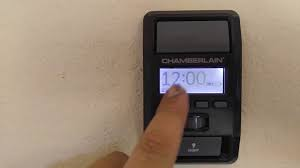
What Is MyQ and Why Time Settings Matter?
MyQ is a smart garage system developed by Chamberlain and LiftMaster that allows you to control your garage door via smartphone.
Why Time Settings Are Important:
- Controls scheduled opening/closing
- Ensures accurate activity logs
- Keeps automation features working properly
📊 Smart garage systems like MyQ are used in millions of U.S. homes, and incorrect time settings are one of the most common user issues.
Read too: Tc1 Tricode Garage Door Opener Remote W/ Clip Chamberlain: Complete Guide
For more background on smart systems, visit:
https://en.wikipedia.org/wiki/Home_automation
How To Change Time On MyQ Garage Door Opener
Unlike traditional devices, MyQ does not always require manual clock adjustment—it often syncs automatically via the internet.
However, if the time is incorrect, follow these methods.
Method 1: Change Time Through the MyQ App (Recommended)
This is the easiest and most effective way.
Step-by-Step:
- Open the MyQ app on your smartphone
- Tap the menu icon (☰)
- Go to Settings
- Select your garage door device
- Check the time zone settings
- Ensure your phone’s time zone is correct
👉 MyQ automatically syncs with your phone and internet time.
💡 Tip: Enable automatic date & time on your phone for best results.
Method 2: Fix Time by Updating Time Zone
Incorrect time is often caused by wrong time zone settings.
Steps:
- Open phone settings
- Go to Date & Time
- Turn on Automatic Time Zone
- Restart the MyQ app
👉 This forces the app to resync with the correct time.
Method 3: Power Cycle the Garage Door Opener
If the app doesn’t update the time:
Steps:
- Unplug the garage door opener
- Wait 30–60 seconds
- Plug it back in
- Reopen the MyQ app
📊 This simple reset fixes many sync issues.
Method 4: Reconnect the MyQ Device
If time is still incorrect, reconnect the system.
Steps:
- Remove the device from the MyQ app
- Re-add the garage door opener
- Follow setup instructions
👉 This refreshes all settings, including time.
Why Is My MyQ Time Incorrect?
Here are the most common causes.
1. Incorrect Time Zone
Cause: Phone or app settings mismatch
Fix: Enable automatic time zone
2. Poor Internet Connection
Cause: Weak Wi-Fi signal
Fix: Move router closer or reconnect
3. App Glitches
Cause: Outdated app version
Fix: Update MyQ app
4. Device Sync Issues
Cause: Opener not syncing with server
Fix: Restart or reconnect device
How MyQ Time Sync Works
MyQ does not rely on a built-in clock like traditional openers.
Instead, it uses:
- Internet time servers
- Smartphone synchronization
- Cloud-based automation
👉 This ensures more accurate timing—when configured correctly.
MyQ vs Traditional Garage Door Openers
| Feature | MyQ Smart Opener | Traditional Opener |
|---|---|---|
| Time Sync | Automatic (online) | Manual |
| Scheduling | Advanced | Limited |
| Remote Access | Smartphone | Remote control |
Common Problems Related to Time Settings
Garage Door Opens at Wrong Time
- Incorrect schedule
- Wrong time zone
Notifications Delayed
- App sync issue
- Internet delay
Automation Not Working
- Time mismatch
- Incorrect settings
How To Set Schedules Correctly in MyQ
Time settings affect automation.
Steps:
- Open MyQ app
- Tap Schedules
- Set desired time (e.g., 10:00 PM)
- Save changes
💡 Always double-check AM/PM settings.
Security Tips When Using MyQ
- Use strong passwords
- Enable two-factor authentication
- Update app regularly
📊 Smart home devices reduce unauthorized access risk when properly configured.
Maintenance Tips for MyQ Systems
- Update firmware regularly
- Check Wi-Fi connection monthly
- Restart system every 3–6 months
- Test schedules weekly
Real-Life Scenario
A homeowner noticed their garage door closing automatically at the wrong time. The issue? Their phone’s time zone was set incorrectly after traveling.
After enabling automatic time settings, the issue was fixed instantly.
👉 Lesson: Always check your phone settings first.
Signs You Need to Fix MyQ Time Settings
- Scheduled events trigger incorrectly
- Notifications show wrong timestamps
- Garage door opens/closes unexpectedly
FAQ: How To Change Time On MyQ Garage Door Opener
1. Can I manually set time on MyQ?
No, MyQ uses automatic internet-based time syncing.
2. Why is my MyQ time wrong?
Usually due to incorrect phone time zone or sync issues.
3. Do I need Wi-Fi for accurate time?
Yes, MyQ relies on internet synchronization.
4. How do I fix delayed notifications?
Check internet connection and app settings.
5. Does resetting MyQ fix time issues?
Yes, it can resolve sync problems.
6. Can I use MyQ without the app?
Limited functionality is available without the app.
Conclusion
Understanding How To Change Time On MyQ Garage Door Opener is essential for keeping your schedules and automations running smoothly. While MyQ handles most time settings automatically, small issues like incorrect time zones or poor connectivity can cause unexpected behavior.
By following the steps in this guide, you can quickly fix time-related issues and enjoy a smarter, more reliable garage system.
If this guide helped you, feel free to share it with others—because a properly configured smart garage makes everyday life easier and more secure!
Leave a Reply