If your garage door opens unexpectedly or your remote isn’t working properly, you might wonder How To Change The Frequency On A Garage Door. This issue is more common than you think—especially in areas with signal interference.
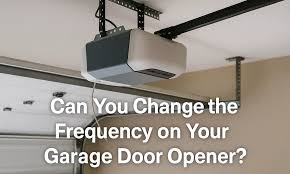
The good news? You can fix it quickly by resetting and reprogramming your system.
What Does “Changing Frequency” Mean?
Before diving in, let’s clarify something important.
👉 Most modern garage door openers don’t actually let you manually change frequency like older systems. Instead, they use:
- Rolling code technology
- Automatic frequency hopping
- Secure digital signals
Read too: Tc1 Tricode Garage Door Opener Remote W/ Clip Chamberlain: Complete Guide
👉 Learn more about how these systems work:
https://en.wikipedia.org/wiki/Garage_door_opener
So what are you really doing?
When you “change frequency,” you’re actually:
- Resetting the opener
- Clearing old codes
- Reprogramming a new secure signal
Why Would You Need To Change Garage Door Frequency?
🔒 Common Reasons:
- Remote interference from neighbors
- Garage door opening randomly
- Lost or stolen remote
- Moving into a new home
- Security concerns
👉 According to industry estimates, modern rolling code systems generate billions of unique combinations, making them highly secure.
How To Change The Frequency On A Garage Door
Follow this step-by-step method to reset and reprogram your opener.
Step 1: Locate The Learn Button
Go to your garage door opener motor unit.
Look for:
- A button labeled “Learn”
- Usually near the antenna wire
- Colors: yellow, red, purple, or green
Step 2: Clear Existing Codes (Reset Frequency)
Instructions:
- Press and hold the Learn button
- Hold for 6–10 seconds
- Release when LED light turns off
👉 This removes all stored remotes and resets the system.
Step 3: Reprogram Your Remote
Now you’ll create a new secure signal.
Steps:
- Press the Learn button again (quick press)
- LED light turns on
- Within 30 seconds, press your remote button
- Wait for the garage light to blink
👉 This confirms successful programming.
Step 4: Test The System
- Stand about 5–10 feet away
- Press the remote
- Ensure smooth operation
Step 5: Reprogram Keypads (If Applicable)
If you have a keypad:
- Enter new PIN
- Press Enter
- Wait for confirmation light
How Older Garage Doors Handle Frequency
Older systems (pre-1990s) used fixed frequency and DIP switches.
How They Work:
- Manual switches inside remote
- Limited combinations
- Easier to hack
To Change Frequency:
- Open remote casing
- Adjust DIP switch pattern
- Match with opener unit
Modern vs Old Systems
| Feature | Old Systems | Modern Systems |
|---|---|---|
| Frequency | Fixed | Rolling |
| Security | Low | High |
| Setup | Manual switches | Learn button |
| Interference | Common | Rare |
Signs You Need To Change Frequency
🚨 Warning Signs:
- Door opens by itself
- Remote works inconsistently
- Neighbor’s remote triggers your door
- Security concerns
Real-Life Example
A homeowner noticed their garage door opening randomly. After resetting the system using the Learn button, the issue disappeared.
👉 Lesson: Resetting the signal often resolves interference problems instantly.
Common Mistakes To Avoid
❌ Don’t:
- Hold Learn button too long during programming
- Forget to reprogram all remotes
- Ignore battery condition
✅ Do:
- Follow timing carefully
- Test after setup
- Replace batteries if needed
Tips To Improve Garage Door Signal Reliability
📡 Best Practices:
- Replace remote batteries regularly
- Keep antenna unobstructed
- Avoid electronic interference
- Upgrade to newer opener if needed
Pros vs Cons of Changing Frequency
✅ Advantages:
- Improved security
- Eliminates interference
- Prevents unauthorized access
❌ Disadvantages:
- Requires reprogramming all devices
- Temporary inconvenience
Step-by-Step Summary (Quick Guide)
- Locate Learn button
- Hold for 6–10 seconds (reset)
- Press again (program mode)
- Press remote button
- Test system
FAQ: How To Change The Frequency On A Garage Door
1. Can I manually change garage door frequency?
Not on modern systems—resetting and reprogramming achieves the same result.
2. Why does my garage door open randomly?
It could be signal interference or outdated security settings.
3. How long does it take to reset?
Usually 2–5 minutes.
4. Do I need to reprogram all remotes?
Yes, after resetting, all remotes must be reprogrammed.
5. Is changing frequency the same as resetting?
Yes, in modern systems, they are effectively the same process.
6. Can neighbors open my garage door?
Only if your system is outdated or not properly secured.
Leave a Reply