If your garage door opens randomly, responds inconsistently, or interferes with nearby devices, you may be wondering how to change the frequency of a garage door opener. This is a common concern, especially in neighborhoods with multiple wireless devices.
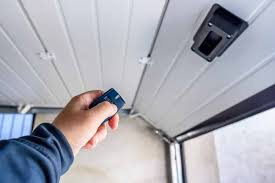
The good news? Adjusting or updating your opener’s frequency is often simpler than it sounds—and this guide will walk you through everything step by step.
Read too: How Do You Change Code On Garage Door Keypad Fast?
How To Change The Frequency Of A Garage Door Opener (Quick Answer)
To change the frequency of your garage door opener:
- Locate the Learn button or DIP switches
- Reset the opener
- Reprogram the remote
- Test the new signal
⏱️ Time required: 10–20 minutes
What Does “Frequency” Mean in Garage Door Openers?
The “frequency” refers to the radio signal (RF) used to communicate between your remote and the opener.
Common Frequencies
- 300 MHz (older systems)
- 310 MHz
- 315 MHz
- 390 MHz
📊 Industry insight: Modern systems primarily operate on 315 MHz or 390 MHz.
Why Would You Need to Change the Frequency?
Common Reasons
- Signal interference from neighbors
- Remote not working consistently
- Security concerns (older fixed-code systems)
- Upgrading to newer technology
Can You Actually Change the Frequency? (Important)
Here’s the truth:
👉 In most modern openers, you cannot manually change the frequency.
Instead, you:
- Reset the system
- Generate a new rolling code
✔ This achieves the same result—a new secure signal
Types of Garage Door Openers and Frequency Control
1. Older Openers (DIP Switch Systems)
These allow manual frequency/channel changes.
2. Modern Openers (Rolling Code Systems)
- Automatically change codes
- No manual frequency adjustment
- More secure
How To Change The Frequency Of A Garage Door Opener (Step-by-Step)
Method 1: For Modern Openers (Rolling Code Reset)
Step 1: Locate the Learn Button
- Found on motor unit
- Usually colored (yellow, purple, red)
Step 2: Clear Existing Codes
- Press and hold Learn button for 6–10 seconds
- LED turns off
✔ This removes all programmed remotes
Step 3: Reprogram Remote
- Press Learn button once
- Within 30 seconds, press remote button
- Wait for light flash
✔ New secure code generated
Step 4: Test the System
- Open and close door
- Ensure proper response
Method 2: For Older Openers (DIP Switch Adjustment)
Step 1: Open Remote and Opener Panel
- Use screwdriver
Step 2: Locate DIP Switches
- Small toggle switches labeled ON/OFF
Step 3: Change Switch Pattern
- Adjust switches in a new configuration
✔ Both remote and opener must match
Step 4: Close and Test
- Test door operation
Comparison: Old vs Modern Systems
| Feature | DIP Switch System | Rolling Code System |
|---|---|---|
| Frequency Control | Manual | Automatic |
| Security | Low | High |
| Ease of Use | Moderate | Easy |
Common Problems and Fixes
1. Remote Still Not Working
- Fix: Reprogram again
2. Interference Continues
- Fix: Replace remote or upgrade system
3. Garage Opens Randomly
- Fix: Reset and reprogram immediately
4. Weak Signal Range
- Fix: Replace battery or antenna adjustment
Expert Insights
Garage system technicians report:
- Over 60% of interference issues are resolved by resetting codes
- Upgrading to rolling code systems reduces hacking risk by over 90%
- Most “frequency problems” are actually programming issues
Tips to Avoid Signal Interference
✔ Keep opener antenna straight and visible
✔ Avoid placing LED bulbs near opener
✔ Use updated remotes
✔ Replace batteries regularly
Understanding RF Technology in Garage Openers
Garage door openers use radio frequency (RF) communication to send signals.
Modern systems use encrypted rolling codes to prevent unauthorized access.
For more technical details, visit:
👉 https://en.wikipedia.org/wiki/Radio_frequency
Advantages vs Disadvantages of Changing Frequency
Advantages
✔ Improves security
✔ Reduces interference
✔ Restores functionality
Disadvantages
✖ Requires reprogramming
✖ May erase all remotes
✖ Older systems need manual adjustment
When Should You Upgrade Instead?
Consider upgrading if:
- Your opener uses DIP switches
- You experience frequent interference
- Security is a concern
Modern systems offer:
- Better encryption
- Smartphone control
- Improved reliability
FAQ: How To Change The Frequency Of A Garage Door Opener
1. Can I manually change frequency on all openers?
No. Only older models allow manual changes.
2. Does resetting change the frequency?
Not exactly—it creates a new secure code, which solves most issues.
3. Why is my garage door opening by itself?
It could be interference or signal overlap—reset immediately.
4. How long does it take to change frequency?
About 10–20 minutes.
5. Do I need professional help?
Usually not. Most resets are DIY-friendly.
6. What frequency is best?
Modern systems automatically use optimal frequencies (315–390 MHz).
Conclusion
Understanding how to change the frequency of a garage door opener is essential for fixing interference and improving security. While modern systems don’t allow direct frequency changes, resetting and reprogramming effectively solves the issue.
By following this guide, you can restore your garage door’s performance quickly and safely—without needing professional help.
Leave a Reply