If you’re thinking about improving your home security, you might be wondering: How To Change The Code On Your Garage Door Opener? Whether you’ve moved into a new home, lost a remote, or just want extra protection, updating your garage code is a simple yet powerful step. In this guide, we’ll walk you through everything you need to know in a clear and beginner-friendly way.
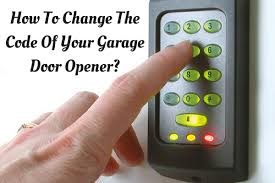
How To Change The Code On Your Garage Door Opener (Quick Answer)
To change your garage door opener code:
- Locate the Learn button on the opener
- Press and release it
- Enter a new PIN on your keypad
- Press “Enter” or “#”
- Test the new code
Read too: How Do You Change Code On Garage Door Keypad Fast?
⏱️ Total time: 3–5 minutes
Why Should You Change Your Garage Door Code?
Changing your code isn’t just about convenience—it’s about safety.
Key Reasons
- Prevent unauthorized access
- Protect your home and valuables
- Update after moving into a new house
- Replace lost or stolen remotes
According to general home security practices, regularly updating access credentials is a key step in protecting your property. You can explore more about security systems on Wikipedia.
Where Is the Learn Button Located?
The Learn button is essential for programming your opener.
Common Locations
- Back of the motor unit
- Under the light cover
- Near the antenna wire
Learn Button Colors and Meaning
| Color | System Type |
|---|---|
| Yellow | Newer models |
| Purple | Rolling code systems |
| Red | Older units |
| Green | Legacy systems |
Step-by-Step: How To Change Garage Door Opener Code
Let’s go deeper into the process to ensure you get it right the first time.
Step 1: Choose a Secure PIN
- Use 4–6 digits
- Avoid simple patterns like 1234
- Don’t use birthdays or addresses
Step 2: Access the Opener Unit
- Use a ladder (6–8 feet)
- Ensure power is connected
- Keep area well-lit
Step 3: Activate Programming Mode
- Press the Learn button once
- LED light will stay on for 30 seconds
Step 4: Enter Your New Code
- Go to your keypad
- Enter the new PIN
- Press Enter
Step 5: Confirm and Test
- Garage light may blink
- Test the code immediately
- Ensure smooth operation
How To Reset Garage Door Opener Code Completely
If you want to erase all existing codes:
Full Reset Steps
- Press and hold the Learn button for 6–10 seconds
- Wait for LED to turn off
- Reprogram all remotes and keypads
⚠️ This will remove all previously connected devices.
What If You Don’t Have a Keypad?
You can still change access settings.
Alternative Methods
- Reprogram remote controls
- Replace opener system
- Install a new keypad
Common Problems and How to Fix Them
1. New Code Not Working
- Re-enter code within 30 seconds
- Check keypad battery
2. Learn Button Not Responding
- Ensure power supply
- Check for damaged wiring
3. Door Doesn’t Open After Programming
- Re-align sensors
- Check opener motor
How Long Does It Take to Change the Code?
| Skill Level | Time Required |
|---|---|
| Beginner | 5–10 minutes |
| Experienced User | 2–3 minutes |
Pros vs Cons of Changing Garage Door Code
Advantages
- ✔ Enhances security instantly
- ✔ Quick and simple process
- ✔ No professional required
Disadvantages
- ✘ May need to reprogram remotes
- ✘ Confusion for first-time users
Real-Life Example
A homeowner changed their garage code after moving:
- Time taken: 4 minutes
- No tools required
- Immediate improvement in security
This shows how easy and effective the process is.
Tips for Creating a Strong Garage Code
Best Practices
- Use random number combinations
- Avoid repeating digits (e.g., 1111)
- Change regularly (every 3–6 months)
- Keep code private
How Often Should You Change Your Code?
Experts recommend:
- Every 3–6 months
- After losing a remote
- After moving into a new home
- If suspicious activity occurs
Safety Tips While Changing the Code
- Use a stable ladder
- Avoid touching electrical components
- Keep children away during setup
Advanced Features in Modern Garage Door Openers
Newer models offer enhanced security.
Smart Features
- Rolling code technology
- Smartphone control
- Temporary guest PINs
- Activity tracking
Common Mistakes to Avoid
- ❌ Holding Learn button too long
- ❌ Entering code after timeout
- ❌ Using weak PINs
- ❌ Skipping testing step
FAQ: How To Change The Code On Your Garage Door Opener
1. Can I change my garage code without the Learn button?
Yes, older systems use dip switches instead.
2. Will changing the code affect my remote?
Sometimes, especially after a full reset.
3. What is the best PIN length?
A 4–6 digit code is standard and secure.
4. Why does my keypad not respond?
It could be due to dead batteries or wiring issues.
5. Can I set multiple codes?
Some modern systems allow multiple user PINs.
6. Is changing the code difficult?
No, it’s a simple process that takes just a few minutes.
Conclusion
So, How To Change The Code On Your Garage Door Opener? It’s a quick and easy task that can significantly improve your home’s security. With just a few simple steps, you can reset your code, protect your property, and gain peace of mind.
By following this guide, avoiding common mistakes, and maintaining good security habits, your garage door system will stay safe and reliable.
If you found this guide helpful, feel free to share it on social media and help others secure their homes with confidence!
Leave a Reply