If you’re looking for How To Change The Code On The Garage Door, you’re already taking an important step toward protecting your home. Whether you’ve just moved in, lost a remote, or simply want better security, updating your garage code is essential. The good news? You don’t need to be a technician—this guide will walk you through everything in a simple, beginner-friendly way.
What Does “Changing the Garage Door Code” Actually Mean?
Before diving into How To Change The Code On The Garage Door, let’s clarify what this process involves.
When you “change the code,” you are:
- Resetting the opener’s memory
- Removing all previously paired remotes/keypads
- Programming new secure access codes
Modern systems use encrypted signals to communicate between the remote and the opener.
👉 These systems are based on secure communication methods like those described in this Wikipedia article on rolling code, which helps prevent hacking or signal duplication.
Why Changing Your Garage Door Code Is Important
Many homeowners underestimate how critical this step is.
Key Reasons to Change Your Code:
- 🔒 Security after moving into a new home
- 🔑 Lost or stolen remote control
- 👨🔧 Previous contractors or tenants had access
- ⚠️ Suspicious garage door activity
- 🔄 Routine security maintenance (every 6–12 months)
Real Insight:
Security experts recommend updating access codes regularly—just like passwords—to reduce the risk of unauthorized entry.
Types of Garage Door Systems (Before You Start)
Understanding your system will make the process easier.
1. Modern Systems (Learn Button)
- Found in most homes today
- Uses rolling code technology
- Easy to reset and reprogram
Read too: How Do You Change Code On Garage Door Keypad Fast?
2. Older Systems (DIP Switch)
- Found in older openers (pre-2000s)
- Uses manual switches for coding
- Less secure and outdated
How To Change The Code On The Garage Door (Step-by-Step)
This is the most important section. Follow carefully.
Step 1: Locate the Garage Door Opener Unit
Go to your garage ceiling where the motor unit is installed.
Look for:
- A hanging antenna wire
- A light cover panel
- A colored button labeled “Learn”
📍 Common colors include: yellow, red, purple, or green.
Step 2: Press and Hold the Learn Button (Reset Codes)
- Press and hold the Learn button for 6–10 seconds
- The LED light will turn off
👉 This step erases all stored remotes and keypad codes.
Step 3: Reprogram Your Remote Control
Now you’ll connect your remote again.
- Press the Learn button once
- Wait for the LED light to turn on
- Within 30 seconds, press a button on your remote
- The opener light will blink or click
✔ Your remote is now programmed
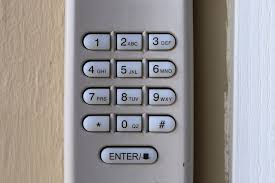
Step 4: Set a New Keypad Code
If your system includes a keypad:
- Press the Learn button again
- Enter a new 4–6 digit PIN on the keypad
- Press Enter
- Wait for confirmation (light blink or click)
Step 5: Test Everything
- Test each remote
- Enter your new PIN on the keypad
- Open and close the door
👉 If everything works smoothly, your new code is active.
How To Change Code on Older Garage Door Openers
If your opener doesn’t have a Learn button, it likely uses DIP switches.
Step-by-Step:
- Open the remote control casing
- Locate the small switches inside
- Open the opener motor housing
- Match the same switch positions
- Change the pattern to create a new code
⚠️ Note: This system is outdated and less secure.
Common Mistakes to Avoid
Even simple steps can go wrong if you’re not careful.
Avoid These Errors:
- ❌ Not holding the Learn button long enough
- ❌ Taking too long to press the remote
- ❌ Forgetting to reprogram all remotes
- ❌ Choosing weak PIN codes
- ❌ Ignoring battery condition
Troubleshooting Guide (Quick Fix Table)
| Problem | Possible Cause | Solution |
|---|---|---|
| Remote not working | Not programmed | Repeat programming steps |
| Keypad not responding | Dead battery | Replace batteries |
| Code didn’t change | Learn button not reset | Hold longer (6–10 seconds) |
| Door opens randomly | Old code still active | Reset system again |
| No LED light on opener | Power issue | Check outlet or breaker |
How to Choose a Strong Garage Door Code
Security doesn’t stop at changing the code—you need a strong one.
Weak Codes to Avoid:
- 1111
- 1234
- Birthdates
- Repeating numbers
Strong Code Tips:
- Use random digits (e.g., 4829)
- Avoid predictable patterns
- Change regularly
- Don’t share widely
Advanced Security Tips Most People Ignore
Want to go beyond the basics? Here’s how:
1. Upgrade to Rolling Code Technology
If your opener is old, consider upgrading for better encryption.
2. Disable Unused Remotes
Remove old or unused devices from memory.
3. Use Smart Garage Systems
Modern openers allow:
- Mobile app control
- Real-time alerts
- Remote monitoring
4. Install Motion Lights
Adds an extra layer of deterrence.
Real-World Scenario
Imagine this:
You move into a new home. The previous owner gives you two remotes—but you don’t know who else might still have access.
👉 By changing the garage door code:
- You instantly revoke all previous access
- You ensure only your devices work
- You eliminate a major security risk
This simple action can prevent unauthorized entry.
When Changing the Code Isn’t Enough
Sometimes, resetting codes won’t fix the issue.
Consider Replacement If:
- Your opener is 10–15 years old
- It uses DIP switch technology
- It frequently malfunctions
- It lacks modern security features
Benefits of Changing Your Garage Code
Advantages:
- ✅ Improved home security
- ✅ Peace of mind
- ✅ Control over access
- ✅ Easy and fast process
Disadvantages:
- ❌ Need to reprogram all devices
- ❌ Temporary inconvenience
Step-by-Step Checklist (Quick Recap)
Follow this checklist for success:
- Locate opener unit
- Hold Learn button (6–10 seconds)
- Reprogram remote
- Set new keypad PIN
- Test all devices
Frequently Asked Questions
FAQ: How To Change The Code On The Garage Door
1. How often should I change my garage door code?
Every 6–12 months, or immediately after losing a remote or moving into a new home.
2. Will changing the code erase all remotes?
Yes. You’ll need to reconnect all remotes and keypads afterward.
3. Can I change the code without a keypad?
Yes, you can use the Learn button and remote only.
4. Why won’t my garage door respond after changing the code?
You may not have reprogrammed the remote correctly or the timing expired.
5. Is it hard to change the garage door code?
Not at all. Most people can do it in under 10 minutes.
6. What’s the safest type of garage door opener?
Openers with rolling code technology offer the best security.
Conclusion
Now you fully understand How To Change The Code On The Garage Door—from basic steps to advanced security tips.
By:
- Resetting your system
- Reprogramming devices
- Choosing a strong code
You can significantly improve your home’s safety in just a few minutes.
Leave a Reply