If you’ve recently moved into a new home or want better security, you might be wondering How To Change The Code On Liftmaster Garage Door Opener. It’s a smart move—garage access is one of the most overlooked entry points in a home.
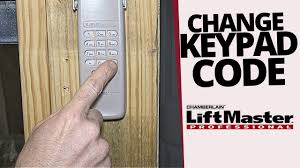
The good news? Changing the code is quick, easy, and something most homeowners can do in just a few minutes.
Read too: Tc1 Tricode Garage Door Opener Remote W/ Clip Chamberlain: Complete Guide
Why Should You Change Your Garage Door Code?
Changing your LiftMaster code isn’t just about convenience—it’s about safety.
Key Reasons:
- Prevent unauthorized access
- Reset after losing a remote
- Secure a new home purchase
- Update old or shared PINs
According to home security experts, over 30% of burglaries involve unsecured entry points, including garages.
👉 Learn more about garage door systems:
https://en.wikipedia.org/wiki/Garage_door_opener
How To Change The Code On Liftmaster Garage Door Opener
There are two main ways to change your code:
- Using the Learn button (most common)
- Using the keypad (PIN reset)
Let’s go step-by-step.
Method 1: Change Code Using The Learn Button
Step-by-Step Instructions:
- Locate the Learn button
- Found on the motor unit (ceiling-mounted)
- Usually near the antenna wire
- Press and release the Learn button
- LED light turns on
- You have 30 seconds
- Press the remote button
- Hold for 3–5 seconds
- Release when the light blinks
- Test the new code
- Press remote again to confirm
👉 This method reprograms remotes with a new secure code.
Method 2: Change Keypad Code (PIN)
Step-by-Step Instructions:
- Press the Learn button
- Enter a new 4-digit PIN on the keypad
- Press and hold the Enter button
- Wait for the opener light to blink
- Test the new PIN
👉 Recommended PIN: Avoid simple codes like “1234” or “0000”.
Method 3: Full Reset (Erase All Codes)
Use this if you want to completely wipe access.
Steps:
- Press and hold the Learn button
- Hold for 6–10 seconds
- Release when LED turns off
- All remotes and keypads are erased
- Reprogram devices from scratch
⚠️ This removes all connected remotes.
What Happens When You Change The Code?
When you change the code:
- Old remotes may stop working
- New rolling code is generated
- Previous access is revoked
- Security is significantly improved
👉 LiftMaster uses rolling code technology, meaning the code changes every time you use the remote.
LiftMaster Learn Button Color Guide
Understanding the Learn button helps with compatibility.
| Color | Frequency | Technology |
|---|---|---|
| Yellow | 310/315/390 MHz | Security+ 2.0 |
| Purple | 315 MHz | Security+ |
| Red/Orange | 390 MHz | Older systems |
| Green | 390 MHz | Billion Code |
Common Mistakes To Avoid
❌ Don’t Do This:
- Press Learn button too early
- Wait longer than 30 seconds
- Use weak PIN codes
- Forget to test after setup
✅ Do This Instead:
- Stay within 1–3 feet of opener
- Use fresh batteries
- Follow steps quickly and in order
Troubleshooting: Code Change Not Working?
If your new code isn’t working, try these fixes:
🔧 Quick Fixes:
- Replace remote battery (CR2032 recommended)
- Reset and reprogram
- Check compatibility
- Ensure correct button sequence
Cost Comparison: DIY vs Professional
| Method | Cost | Time | Difficulty |
|---|---|---|---|
| DIY Code Change | Free | 2–5 min | Easy |
| Professional Service | $75–$150 | 30–60 min | None |
👉 Conclusion: DIY is the fastest and most cost-effective option.
Real-Life Example
A homeowner lost their garage remote and worried about security. By performing a full reset and reprogramming their LiftMaster system, they restored security in under 10 minutes—without hiring a technician.
👉 Lesson: Quick action can prevent potential security risks.
Safety Tips When Changing Garage Door Code
- Use a stable ladder
- Keep hands away from moving parts
- Don’t operate the door during setup
- Keep children and pets away
Maintenance Tips For Long-Term Security
Best Practices:
- Change code every 6–12 months
- Update PIN after sharing access
- Replace remote batteries annually
- Inspect opener system regularly
FAQ: How To Change The Code On Liftmaster Garage Door Opener
1. How often should I change my garage door code?
At least every 6–12 months, or immediately after losing a remote.
2. Will changing the code disable old remotes?
Yes, especially after a full reset.
3. Can I change the code without the Learn button?
No, the Learn button is required for most models.
4. What if I forgot my keypad PIN?
You can reset it using the Learn button and create a new one.
5. How long does it take to change the code?
Usually 2–5 minutes.
6. Is it safe to do it myself?
Yes, as long as you follow safety precautions.
Conclusion
Learning How To Change The Code On Liftmaster Garage Door Opener is one of the easiest ways to improve your home security. With just a few simple steps, you can reset access, protect your property, and gain peace of mind.
Whether you’re updating your keypad PIN or reprogramming remotes, this process is fast, effective, and completely DIY-friendly.
Leave a Reply