If you’re concerned about security or just need a new code for your family, learning how to change the code on a Genie garage door keypad is essential. Many homeowners struggle with keypad programming because manuals can be confusing, and safety is critical. In this guide, we’ll break down the steps in a simple, beginner-friendly way so you can update your keypad without frustration.
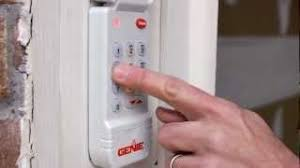
A properly programmed keypad ensures that only authorized users can access your garage, keeping your home safe while giving you convenient entry.
Read too: How Do You Change Code On Garage Door Keypad Fast?
Why You Might Need to Change Your Keypad Code
- Security concerns: Previous tenants, friends, or neighbors might know the old code.
- Lost or stolen access: Protect your property by updating the code immediately.
- Routine updates: Experts recommend changing codes periodically to maintain security.
According to home security specialists, changing your garage door keypad code at least once a year significantly reduces unauthorized access risks.
Tools You’ll Need
- Genie garage door keypad
- Ladder (if your keypad is mounted high)
- Pen and paper (optional, for noting the new code)
- Your garage door opener remote (if needed for syncing)
Step-By-Step Instructions: How To Change The Code On Genie Garage Door Keypad
1. Clear the Old Code
- Press and hold the “Program” or “Learn” button on your garage door opener motor for about 6–10 seconds.
- The LED light on the motor should turn off, indicating that old codes are cleared.
2. Access the Keypad
- Open the keypad cover to reveal the keypad buttons and “Program” button.
- Make sure your garage door is closed and the opener is powered.
3. Enter Programming Mode
- Press and hold the Program button on the keypad until the LED starts blinking.
- This signals that the keypad is ready to accept a new code.
4. Enter Your New Code
- Choose a 4-digit code that is easy to remember but not obvious. Avoid “1234” or “0000.”
- Press the new code on the keypad, then press the “Enter” or “Lock” button to confirm.
- The LED should blink or beep, indicating successful programming.
5. Test Your New Code
- Close the garage door and try opening it using the new keypad code.
- If the door does not respond, repeat the programming steps carefully.
6. Optional: Sync With Your Remote
- Some Genie keypads need to sync with the garage door opener’s remote.
- Press the Learn button on the motor, then press your keypad code to establish a connection.
- Test functionality to confirm successful syncing.
Tips for Successful Programming
- Stand close to the motor: Within 3–5 feet improves the signal.
- Use fresh batteries: Low power can prevent proper programming.
- Write it down: Keep a secure note of your new code.
- Avoid interference: Remove other remotes or electronic devices during programming.
Common Issues and Solutions
| Issue | Cause | Solution |
|---|---|---|
| LED does not light | Incorrect button pressed | Check the manual for your specific keypad model |
| Door does not respond | Code not synced | Repeat programming and confirm LED blink |
| Keypad opens door accidentally | Multiple codes stored | Clear all old codes and reprogram |
| Remote stops working | Interference or low battery | Replace batteries and re-sync |
FAQ: Genie Garage Door Keypad Programming
1. How often should I change my keypad code?
At least once a year, or immediately if you suspect the old code is compromised.
2. Can I program the keypad myself?
Yes, it is designed for DIY programming. Follow the step-by-step guide carefully.
3. What if I forget my code?
Clear the keypad and reprogram a new code using the steps above.
4. Can I use multiple codes?
Yes, many Genie keypads allow several user codes for family members.
5. Does changing the keypad affect the remote?
Not usually. However, if your keypad needs to sync with the opener, follow the syncing step.
6. Is there a safety precaution I should know?
Always make sure the garage door is fully closed before programming to avoid injury.
Conclusion
Knowing how to change the code on a Genie garage door keypad keeps your home secure while allowing easy access for family members. By following this guide, you can program your keypad quickly, safely, and without needing a professional.
👉 Share this guide with friends and family to ensure they can also maintain secure and convenient garage access!
Leave a Reply