Forgetting your keypad code—or wanting to update it for security—is more common than you think. If you’re searching for How To Change Passcode On Clicker Garage Door Opener, you’re likely trying to regain control or improve your home’s safety.
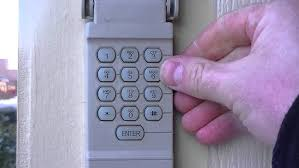
The good news is that changing your Clicker keypad code is simple and only takes a few minutes.
Read too: Tc1 Tricode Garage Door Opener Remote W/ Clip Chamberlain: Complete Guide
What Is A Clicker Garage Door Keypad?
A Clicker keypad is a wireless entry system mounted outside your garage. It allows you to open and close your garage door using a PIN instead of a remote.
Key Benefits:
- Keyless entry convenience
- Backup access if remote is lost
- Enhanced security control
👉 Learn more about how garage systems work:
https://en.wikipedia.org/wiki/Garage_door_opener
How To Change Passcode On Clicker Garage Door Opener
Changing your passcode involves resetting the keypad and syncing it with your garage opener.
Step 1: Locate The Learn Button On Your Opener
Go to your garage door motor unit.
Look for:
- A button labeled “Learn”
- Usually near the antenna wire
- Often colored (yellow, purple, red, or green)
👉 This button is essential for programming.
Step 2: Press The Learn Button
Instructions:
- Press and release the Learn button
- LED light will turn on
- You now have 30 seconds to complete the next step
Step 3: Enter Your New Passcode On The Keypad
Go to your Clicker keypad outside.
Steps:
- Enter your desired 4-digit PIN
- Press and hold the Enter button
- Hold for 3–5 seconds
- Release when garage light blinks
👉 This confirms the new code is saved.
Step 4: Test Your New Passcode
- Enter your new PIN
- Press Enter
- The door should open or close
Alternative Method: Reset Entire Keypad
If you forgot your old code, use this method.
Instructions:
- Remove keypad cover
- Press and hold the reset/program button (if available)
- Hold for 10–15 seconds
- Reprogram using Steps 1–4
Why You Should Change Your Garage Door Passcode
🔒 Top Reasons:
- Lost or stolen remote
- Moving into a new home
- Sharing access with others
- Improving security
👉 Security experts recommend updating access codes at least once a year.
Common Problems When Changing Passcode
🔧 Troubleshooting Guide:
| Problem | Cause | Solution |
|---|---|---|
| Code not working | Missed timing | Repeat within 30 seconds |
| No response | Dead battery | Replace battery |
| Light not blinking | Wrong steps | Restart process |
| Door not opening | Not synced | Reprogram |
How To Choose A Secure Passcode
✅ Best Practices:
- Use 4–6 digits
- Avoid simple patterns (1234, 0000)
- Avoid birthdays or addresses
- Change regularly
👉 Example of strong code: 4829 (random and unique)
Pros vs Cons Of Changing Passcodes
✅ Advantages:
- Improves security
- Prevents unauthorized access
- Easy and quick process
❌ Disadvantages:
- Requires reprogramming
- Easy to forget new code
Real-Life Example
A homeowner shared their garage code with a contractor. After the job was completed, they changed the passcode in under 5 minutes, ensuring no further access.
👉 Lesson: Updating your code is one of the easiest ways to protect your home.
Maintenance Tips For Keypad Performance
Keep your keypad working smoothly:
- Replace battery every 12–18 months
- Clean keypad surface
- Protect from extreme weather
- Test monthly
Common Mistakes To Avoid
❌ Don’t:
- Wait too long after pressing Learn
- Use weak passcodes
- Ignore battery condition
✅ Do:
- Follow timing carefully
- Test immediately after setup
- Keep your code private
FAQ: How To Change Passcode On Clicker Garage Door Opener
1. Can I change my passcode without the Learn button?
No, the Learn button is required to sync the new code.
2. How long does it take to change the passcode?
Usually 2–5 minutes.
3. What if I forgot my current code?
Reset the keypad and reprogram a new one.
4. How many digits should my code be?
Typically 4 digits, but some models support more.
5. Why is my new code not working?
It may be due to timing issues or low battery.
6. How often should I change my garage code?
At least once a year or after sharing access.
Conclusion
Learning How To Change Passcode On Clicker Garage Door Opener is a simple yet powerful way to improve your home security. With just a few steps, you can reset your keypad, create a new code, and ensure only trusted people have access.
Taking a few minutes to update your passcode can save you from potential security risks and give you peace of mind.
Leave a Reply