Forgetting your garage door code or wanting to improve home security can be stressful. Knowing how to change Genie garage door code on keypad allows homeowners to maintain control over who can access their garage.
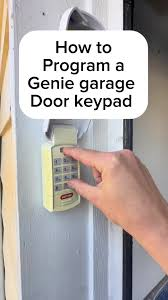
Whether you’ve moved into a new home, lost the code, or simply want to update it for security reasons, this guide will walk you through the process safely and efficiently. No need to call a professional or worry about damaging your Genie garage door system.
Read too: How Do You Change Code On Garage Door Keypad Fast?
Understanding Genie Garage Door Keypads
Genie garage door keypads are designed for convenience and security. Most models use wireless communication with the garage door opener and allow multiple codes for different users. Key features include:
- Wireless Operation: Eliminates the need for direct wiring to the opener.
- Multiple User Codes: You can assign different codes for family members.
- Security Lockout: Limits failed attempts to prevent unauthorized access.
- Battery-Powered: Requires periodic battery replacement for reliable operation.
Understanding your keypad model ensures a smooth code change process. Refer to the keypad manual if your model is unique.
Step 1: Gather Necessary Tools
Before starting, make sure you have:
- Your Genie garage door keypad
- Access to the garage door opener (usually mounted on the ceiling)
- Ladder or step stool for safe reach
- Pen and paper to record your new code
- Optional: New batteries if the keypad is low
Safety first: always use a stable ladder and ensure the garage door is fully closed before beginning any work.
Step 2: Access the Learn Button
The Learn Button on your Genie garage door opener is key to programming your keypad:
- Locate the opener unit on the ceiling of your garage.
- Find the small Learn Button, usually near the antenna wire and labeled “Learn” or “Program.”
- Note the color of the indicator light near the button, which shows the status of programming.
Tip: Keep the keypad and opener in sight while performing this procedure to ensure timing is accurate.
Step 3: Clear Old Codes (Optional)
If you want to remove all previous codes:
- Press and hold the Learn Button on the opener for 6–10 seconds until the indicator light turns off.
- Release the button. All old codes will be erased.
- You can now assign a new code without conflicts.
Clearing old codes is recommended for lost, compromised, or shared keypads.
Step 4: Enter Programming Mode
To set a new code:
- On the keypad, press the Enter or Program button depending on your model.
- Enter your desired new 4–8 digit code.
- Press Enter again.
- Within 30 seconds, press the Learn Button on the garage opener once.
- The indicator light will blink or turn off, signaling successful programming.
Your new code should now operate the garage door. Test it by closing and reopening the door from the keypad.
Step 5: Assigning Multiple User Codes
Genie keypads allow multiple codes for different users:
- Repeat the programming steps for each new code.
- Make sure to press the Learn Button after entering each code.
- Test each code to ensure it operates correctly without interfering with others.
Having multiple user codes helps track access and maintain security, especially for households with children or guests.
Step 6: Troubleshooting Common Issues
If the code change doesn’t work:
- Keypad Not Responding: Check and replace batteries.
- Door Doesn’t Move: Ensure the keypad is within range of the opener.
- Light Blinking but Door Doesn’t Open: Clear all codes and reprogram.
- Interference from Other Devices: Ensure no nearby radios or Wi-Fi routers are causing signal issues.
For further guidance, refer to Genie Garage Door Opener Wikipedia for an overview of models and technology.
Step 7: Maintenance Tips
- Replace batteries at least once a year.
- Keep the keypad clean and dry to avoid malfunction.
- Test all user codes periodically.
- Check opener alignment and sensors to ensure reliable operation.
- Change codes regularly for security, especially after moving or sharing access.
Consistent maintenance prolongs the life of your keypad and ensures smooth operation.
Comparison Table: Programming Methods
| Method | Best For | Pros | Cons |
|---|---|---|---|
| Single New Code | One user | Quick and easy | Doesn’t remove old codes |
| Multiple Codes | Family/Shared access | Customizable, secure | Slightly more time-consuming |
| Clear All Codes | Lost/Compromised keypad | Resets completely | Requires reprogramming all users |
| Battery Replacement | Maintenance | Ensures reliable operation | Temporary inconvenience |
This table helps homeowners choose the right method depending on the situation.
FAQ Section
Q1: How long does it take to change the code?
A: Typically 5–10 minutes for one code, slightly longer if programming multiple users.
Q2: Can I change the code without pressing the Learn Button?
A: No, the Learn Button on the opener is essential to sync the keypad with the garage door unit.
Q3: What if I forget the new code?
A: Reset the keypad using the Learn Button to clear old codes, then set a new one.
Q4: Can I use the same code on multiple garages?
A: Yes, but each garage opener must be programmed individually using its Learn Button.
Q5: How often should I change the code?
A: For security, change your code at least once a year or whenever access changes.
Q6: Can the keypad battery die without warning?
A: Yes, keypad batteries can weaken over time. Always keep spare batteries on hand to avoid lockouts.
Conclusion
Knowing how to change Genie garage door code on keypad empowers homeowners to maintain both convenience and security. From clearing old codes to programming new ones, these step-by-step instructions allow anyone to update their keypad safely.
Regular code updates, battery maintenance, and secure programming habits reduce the risk of unauthorized access while keeping garage operations smooth. Share this guide with family or friends to help them manage their Genie garage keypads confidently.
Leave a Reply