If you’re searching for How To Change Code On Liftmaster Garage Door Opener, you’re likely trying to improve your home’s security or fix access issues. Whether you’ve lost a remote, moved into a new home, or want better control, changing your code is one of the smartest things you can do. The process is simple—and this guide will walk you through it step by step.
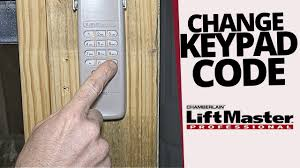
Why You Should Change Your LiftMaster Garage Code
Before diving into How To Change Code On Liftmaster Garage Door Opener, let’s understand why it matters.
Read too: How Do You Change Code On Garage Door Keypad Fast?
Top Reasons:
- 🔑 Lost or stolen remote
- 🏠 Moving into a new home
- 👨🔧 Previous users still have access
- 🔒 Routine security update
Modern LiftMaster systems use encrypted signals to prevent hacking.
👉 This technology is based on systems explained in this Wikipedia article on rolling code, which changes the signal every time you use the remote.
What Happens When You Change the Code?
When you reset your LiftMaster opener:
- All old remotes are erased
- Keypad PINs are deleted
- Only newly programmed devices will work
👉 This ensures complete control over who can access your garage.
How To Change Code On Liftmaster Garage Door Opener (Step-by-Step)
Follow this exact process for best results.
Step 1: Locate the “Learn” Button
Go to your garage door opener unit on the ceiling.
Look for:
- A Learn button (yellow, red, purple, or green)
- Located near the antenna wire or light cover
Step 2: Clear Old Codes
- Press and hold the Learn button for 6–10 seconds
- Wait until the LED light turns off
✔ This deletes all existing codes
Step 3: Program Your Remote Control
- Press the Learn button once
- The LED will turn on
- Within 30 seconds, press a button on your remote
- Wait for the light to blink
✔ Remote is now paired
Step 4: Set a New Keypad Code
If you have a keypad:
- Press the Learn button again
- Enter a new 4–6 digit PIN
- Press Enter
- Wait for confirmation (light blink or click)
Step 5: Test All Devices
- Test remote control
- Test keypad entry
- Open and close the door
👉 If everything works, your new code is active.
How To Change Code Without Clearing Everything
If you only want to add or change one device:
Steps:
- Press the Learn button once
- Program the new remote or keypad
- Old devices remain connected
What If Your LiftMaster Has No Learn Button?
Older models may use DIP switches.
Steps:
- Open remote casing
- Locate switches
- Match them with opener unit
- Change pattern for new code
⚠️ This method is outdated and less secure.
Common Problems and How to Fix Them
Problem: Remote Not Working
✔ Reprogram again
✔ Replace batteries
Problem: Keypad Not Responding
✔ Check battery
✔ Re-enter PIN carefully
Problem: Learn Button Not Lighting Up
✔ Check power supply
✔ Inspect wiring
Problem: Code Change Didn’t Work
✔ Repeat process
✔ Ensure timing is correct (within 30 seconds)
Quick Comparison: Reset vs Add Device
| Action | What It Does | When to Use |
|---|---|---|
| Full Reset | Deletes all devices | Security concerns |
| Add New Device | Keeps old devices | Adding family access |
| Change Keypad Code | Updates PIN only | Routine update |
How to Choose a Strong Garage Code
A strong code protects your home.
Avoid:
- 1234
- 0000
- Birthdays
Use:
- Random numbers (e.g., 5831)
- 4–6 digits
- Unique combinations
Advanced Security Tips
Take your security further with these strategies:
1. Upgrade to Smart Garage Systems
- Control via smartphone
- Receive alerts
- Monitor remotely
2. Change Code Regularly
- Every 6–12 months
3. Remove Old Devices
- Delete unused remotes
4. Enable Motion Lighting
- Adds visibility and deterrence
Real-World Insight
Many homeowners only change their garage code after a problem occurs. However, professionals recommend doing it proactively.
In fact, technicians report that most unauthorized garage access cases are linked to outdated or unchanged codes.
Step-by-Step Troubleshooting Checklist
If something goes wrong, follow this:
- Check power to opener
- Replace remote batteries
- Press Learn button again
- Reprogram devices
- Test system thoroughly
When Should You Replace Your LiftMaster Opener?
Sometimes a code change isn’t enough.
Consider replacing if:
- Opener is over 10–15 years old
- Uses DIP switch technology
- Frequent malfunctions occur
Benefits of Changing Your Garage Code
Advantages:
- ✅ Better security
- ✅ Full control over access
- ✅ Easy DIY process
Disadvantages:
- ❌ Need to reconnect all devices
- ❌ Temporary inconvenience
Frequently Asked Questions
FAQ: How To Change Code On Liftmaster Garage Door Opener
1. How often should I change my LiftMaster code?
Every 6–12 months or whenever security is a concern.
2. Will changing the code erase all remotes?
Yes, if you perform a full reset using the Learn button.
3. Can I change the code without a remote?
Yes, you can use the Learn button directly on the opener.
4. Why won’t my new code work?
It may be due to timing issues, low batteries, or incorrect steps.
5. Is it hard to change the code?
No, most people can do it in under 10 minutes.
6. What’s the safest LiftMaster system?
Models with rolling code and smart features offer the best security.
Conclusion
Now you know exactly How To Change Code On Liftmaster Garage Door Opener—and it’s one of the easiest ways to improve your home security.
By:
- Clearing old codes
- Reprogramming devices
- Using a strong PIN
You can protect your garage and home in just minutes.
Leave a Reply