Struggling with a new Genie garage door opener remote? You’re not alone. Many homeowners face difficulty syncing their remote to the opener, leading to frustration and wasted time.
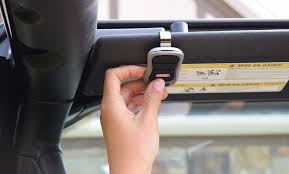
In this guide, we’ll show you how to program a Genie garage door opener remote step by step. Whether it’s your first remote or a replacement, you’ll be able to control your garage door quickly and safely.
Understanding Genie Garage Door Remotes
Before programming, it’s important to understand your remote type. Genie remotes are generally classified as:
- Standard remotes – Single button, basic control
- Multi-button remotes – Can operate multiple doors
- Intellicode remotes – Feature rolling code technology for added security
Read too: Tc1 Tricode Garage Door Opener Remote W/ Clip Chamberlain: Complete Guide
Knowing your remote type ensures you follow the correct programming procedure and avoid unnecessary errors.
According to Genie’s official manuals, using the wrong programming sequence can lock the opener temporarily, requiring a reset.
Step-by-Step Guide: How to Program a Genie Garage Door Opener Remote
Step 1: Locate the Learn Button
- Open your garage door opener cover.
- Look for the Learn button, usually near the antenna wire or motor head.
- Some models use color-coded buttons (yellow, red, or purple).
Step 2: Prepare the Remote
- Insert fresh batteries in your remote.
- Ensure no buttons are pressed during the programming start.
Step 3: Enter Programming Mode
- Press the Learn button on the opener once.
- The indicator light will blink, signaling the opener is ready to sync.
- Within 30 seconds, press and hold the button on your remote that you want to program.
Step 4: Confirm Successful Programming
- The opener light will blink or the door may move slightly, confirming programming success.
- Test the remote multiple times to ensure consistent operation.
Troubleshooting Programming Issues
Sometimes programming fails even after following steps correctly. Common reasons include:
- Out-of-range remote – Stand within 3–5 feet of the opener.
- Weak batteries – Replace with fresh, high-quality batteries.
- Interference – Ensure no metal objects or electronics block the signal.
Advanced Tips:
- Clear all previous remotes if the opener memory is full.
- Reset the opener by holding the Learn button for 10 seconds, then reprogram all remotes.
Multiple Remotes or Multi-Door Systems
For homes with multiple garage doors:
- Identify each door with a separate Learn button.
- Program each remote individually using the steps above.
- Label your remotes to avoid confusion.
Multi-button remotes allow one remote to control up to three doors, streamlining your setup.
Safety Precautions
Programming a remote may seem simple, but safety is critical:
- Never operate the door manually while programming.
- Keep fingers and hands clear of door tracks.
- Ensure the garage is free from pets or children during testing.
The Consumer Product Safety Commission advises keeping garage door safety sensors in place at all times to prevent accidents.
Benefits of Proper Remote Programming
- Enhanced security: Intellicode remotes generate new codes every use.
- Convenience: Control your garage doors from anywhere in reach.
- Reliability: Prevents malfunction due to improper syncing.
Comparison Table: Programming Methods
| Remote Type | Steps Required | Security Level | Notes |
|---|---|---|---|
| Standard | Press Learn + Remote button | Basic | Simple, one-button control |
| Multi-button | Press Learn + Remote button per door | Medium | Controls multiple doors |
| Intellicode | Press Learn + Hold Remote button | High | Rolling code security, more secure |
| Replacement Remote | Reset opener + Program | High | Clears old remotes from memory |
Maintenance Tips for Genie Remotes
- Battery Replacement: Every 12 months or as needed.
- Keep Clean: Wipe with a dry cloth; avoid water or harsh chemicals.
- Test Regularly: Verify all buttons work and doors respond correctly.
- Store Spare Remotes Safely: Prevent unauthorized use.
Regular maintenance ensures long-term reliability and minimizes programming errors.
FAQ: How Do You Program A Genie Garage Door Opener Remote
Q1: Can I program a Genie remote without the Learn button?
A: No, the Learn button is essential for syncing any Genie remote. If missing, consult your Genie model manual.
Q2: How long does it take to program a Genie remote?
A: Typically 2–5 minutes per remote, depending on model and familiarity with steps.
Q3: Why does my remote stop working after a power outage?
A: Some Genie openers lose memory after long power interruptions; reprogramming may be necessary.
Q4: Can I program multiple remotes at the same time?
A: No, each remote must be programmed individually to avoid conflicts.
Q5: How do I clear all remotes from my opener memory?
A: Hold the Learn button for 10–15 seconds until the indicator light goes off. Then, reprogram desired remotes.
Q6: Will Intellicode remotes work with older Genie openers?
A: Not always. Check compatibility in your opener’s manual before purchase.
Conclusion
Programming a Genie garage door opener remote doesn’t have to be complicated. By following this step-by-step guide, you can sync new remotes, troubleshoot issues, and ensure safe and reliable operation of your garage door system.
Proper programming enhances security, convenience, and reliability while preventing future malfunctions.
Share this guide with friends and family who need help programming their Genie garage door remotes—it can save time and stress for everyone.
Leave a Reply