Losing your garage remote can be stressful—especially when you’re locked out or worried about security. If you’re asking, How Do I Replace A Lost Garage Door Opener, you’re in the right place.
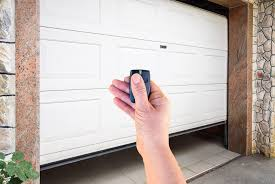
The good news is that replacing a lost opener is easier than you might think. With the right steps, you can restore access and secure your garage in less than an hour.
Read too: Tc1 Tricode Garage Door Opener Remote W/ Clip Chamberlain: Complete Guide
How Do I Replace A Lost Garage Door Opener?
Yes, you can replace a lost garage door opener quickly—and you should act fast for security reasons.
Why Immediate Replacement Matters:
- Prevent unauthorized access
- Protect your home and belongings
- Restore daily convenience
📊 Fact: Home security experts estimate that garages are involved in up to 9% of home break-ins, often due to unsecured access points.
What Should You Do First After Losing Your Garage Door Opener?
Before buying a new remote, take these critical steps.
1. Erase Existing Remote Codes
This is the most important step.
Why?
If someone finds your lost remote, they could open your garage.
How to Erase Codes:
- Locate the “Learn” button on your opener motor
- Press and hold for 6–10 seconds
- Wait until the LED light turns off
✔️ This removes all programmed remotes.
2. Secure Your Garage Immediately
While you’re replacing the opener:
- Lock the garage door manually
- Disconnect the opener if needed
- Close any interior access doors
What Are Your Replacement Options?
You have several ways to replace a lost garage door opener.
Option 1: Buy an Exact Replacement Remote
✔️ Best for compatibility and ease
✔️ Works with your existing system
Option 2: Use a Universal Remote
✔️ Compatible with multiple brands
✔️ Often more affordable
Option 3: Upgrade to a Smart Garage Opener
✔️ Control via smartphone
✔️ Remote access from anywhere
✔️ Enhanced security features
💡 Many modern systems connect via Wi-Fi and apps for convenience.
Step-by-Step: How to Program a New Garage Door Opener
Once you have a replacement, follow these steps:
Tools Needed:
- New remote
- Ladder
- Access to motor unit
Programming Instructions:
- Locate the Learn Button
Found on the back or side of the opener motor. - Press the Learn Button
The LED light will turn on for about 30 seconds. - Press the Remote Button
Hold for 2–3 seconds until the opener light blinks. - Test the Remote
Press again to confirm the door opens and closes.
✔️ Done! Your new opener is now programmed.
How Much Does It Cost to Replace a Garage Door Opener?
Average Costs:
| Type | Price Range |
|---|---|
| Replacement remote | $25 – $80 |
| Universal remote | $20 – $60 |
| Smart opener system | $100 – $300 |
| Professional service | $75 – $150 |
💡 Tip: DIY replacement is usually the most cost-effective option.
Can You Replace a Garage Door Opener Without the Original Remote?
Yes, absolutely.
You don’t need the original remote to program a new one. As long as you have access to the opener unit, you can reset and reprogram it.
What If You Don’t Know Your Garage Door Opener Model?
No problem—here’s how to identify it:
Check:
- Motor housing label
- User manual
- Manufacturer website
If unsure, a universal remote is often the safest choice.
Are Universal Garage Door Remotes Reliable?
Pros:
- Works with multiple brands
- Budget-friendly
- Easy to find
Cons:
- May require extra setup
- Limited advanced features
Smart Garage Openers: Are They Worth It?
Upgrading to a smart system can significantly improve convenience.
Benefits:
- Open/close via smartphone
- Real-time notifications
- Remote monitoring
Drawbacks:
- Higher upfront cost
- Requires Wi-Fi setup
📊 Trend Insight: Smart home adoption has grown by over 30% in recent years, with garage automation being a key category.
Common Mistakes to Avoid
Avoid these errors when replacing your opener:
- ❌ Not erasing old codes
- ❌ Buying incompatible remotes
- ❌ Skipping testing after setup
- ❌ Ignoring security upgrades
How Garage Door Openers Work
Garage door openers use radio frequency signals to communicate between the remote and motor unit.
For a deeper explanation, visit this trusted source:
https://en.wikipedia.org/wiki/Garage_door_opener
Troubleshooting: New Remote Not Working?
If your replacement doesn’t work:
Check:
- Battery is installed correctly
- You pressed the Learn button properly
- Remote is compatible
- Signal range is not blocked
Quick Fix:
- Reset system and reprogram
- Replace battery (use fresh CR2032)
DIY vs Professional Replacement
DIY Replacement
✔️ Fast and affordable
✔️ Ideal for most homeowners
Professional Service
✔️ Best for complex systems
✔️ Ensures proper setup and safety
💡 Recommendation: Try DIY first, then call a technician if needed.
FAQ: How Do I Replace A Lost Garage Door Opener?
1. Can someone use my lost garage remote?
Yes, which is why you should erase all codes immediately.
2. How long does it take to replace a remote?
Typically 10–20 minutes, including programming.
3. Do I need to replace the whole opener system?
No, usually just the remote is enough.
4. Can I use my phone as a garage door opener?
Yes, with a smart garage system or add-on device.
5. What if my opener doesn’t have a Learn button?
Older models may require DIP switch programming instead.
6. Is it safe to use a universal remote?
Yes, as long as it’s compatible with your system.
Conclusion
So, How Do I Replace A Lost Garage Door Opener? The process is simple: erase old codes, choose the right replacement, and program it in minutes.
Taking quick action not only restores convenience but also protects your home from potential security risks. Whether you choose a basic remote or upgrade to a smart system, you now have everything you need to handle the situation confidently.
👉 If this guide helped you, share it on social media so others can quickly solve the same problem!
Leave a Reply