Getting a new garage remote should make life easier—not more confusing. If you’re asking How Do I Program A New Garage Door Remote, you’re likely dealing with setup issues, compatibility questions, or unclear instructions. Don’t worry—this guide will walk you through everything step by step so you can get your remote working in minutes.
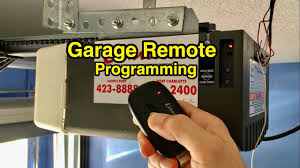
How Do I Program A New Garage Door Remote? (Quick Answer)
To program a new garage door remote:
- Locate the Learn button on your garage door opener
- Press the Learn button once
- Within 30 seconds, press the button on your remote
- Wait for the light to blink or hear a click
- Test the remote
Read too: How Do You Change Code On Garage Door Keypad Fast?
That’s the most common method for modern systems—but let’s break it down in detail.
What Do You Need Before Programming a Garage Remote?
Preparation helps avoid errors and saves time.
Checklist
- New remote (compatible with your opener)
- Step ladder (5–7 feet)
- Access to garage opener unit
- Fresh battery (CR2032 or similar)
Where Is the Learn Button on a Garage Door Opener?
This is one of the most frequently asked questions.
Common Locations
- Back of the motor unit
- Under the light cover
- Near the antenna wire
Learn Button Colors
| Color | Meaning |
|---|---|
| Yellow | Newer security+ systems |
| Purple | Older rolling code systems |
| Red | Legacy fixed-code models |
The Learn button activates pairing mode for your remote.
Step-by-Step: How To Program a New Garage Door Remote
Here’s a detailed, beginner-friendly guide.
Step 1: Turn On Power
Ensure your garage opener is plugged in and functioning.
Step 2: Locate and Press the Learn Button
- Press once (do not hold)
- An LED light will turn on
- You now have 30 seconds to complete programming
Step 3: Press the Remote Button
- Stand within 3–5 feet of the opener
- Press and hold the button for 2–3 seconds
- Release when the light blinks or you hear a click
Step 4: Confirm Programming
- Garage light flashes or motor clicks
- This indicates successful pairing
Step 5: Test the Remote
- Press the remote button
- Ensure the door opens and closes smoothly
How to Program a Remote Without a Learn Button
Older garage systems use dip switches instead.
Dip Switch Method
- Open the remote casing
- Locate dip switches inside
- Match switch positions with the opener unit
- Close the remote
- Test operation
This method is common in pre-1990s systems.
Why Isn’t My Garage Remote Programming?
Programming issues are common but usually easy to fix.
Common Problems
- Dead battery
- Out of range during setup
- Wrong remote model
- Learn mode timed out
Quick Fixes
- Replace battery
- Repeat steps within 30 seconds
- Check compatibility with opener
How Long Does Programming Take?
- First-time users: 5–10 minutes
- Experienced users: 2–3 minutes
It’s one of the quickest home maintenance tasks.
Advantages vs Disadvantages of Programming Your Own Remote
Pros
- ✔ Saves money on technician fees
- ✔ Quick and easy process
- ✔ Immediate results
Cons
- ✘ Can be confusing for beginners
- ✘ Compatibility issues may arise
- ✘ Older systems require manual setup
How Many Remotes Can You Program?
Most garage door openers support:
- 3 to 7 remotes (standard models)
- Up to 10+ remotes (advanced systems)
Check your opener manual for exact limits.
Can You Program Multiple Doors With One Remote?
Yes, if your remote has multiple buttons.
Example Setup
- Button 1 → Main garage
- Button 2 → Secondary garage
- Button 3 → Gate or additional opener
Understanding How Garage Remotes Work
Garage remotes use radio frequency signals to communicate with the opener.
- Sends encoded signal
- Opener receives and verifies
- Door activates if code matches
For a deeper technical overview, see this explanation on Wikipedia.
Safety Tips When Programming a Remote
Always prioritize safety.
Important Tips
- Keep children away during setup
- Do not stand under the door
- Ensure door area is clear
- Avoid holding Learn button too long (may reset system)
When Should You Replace Your Garage Remote?
Sometimes programming won’t fix the issue.
Replace If:
- Buttons don’t respond
- Remote signal is weak
- Physical damage is visible
- Battery drains quickly
Real-Life Example
A homeowner purchased a new universal remote:
- Programming time: 4 minutes
- Issue: Initially too far from opener
- Solution: Moved closer → worked instantly
This shows how small adjustments can make a big difference.
Tips for Faster and Easier Programming
- Stand within 3 feet of opener
- Complete steps within 30 seconds
- Use fresh batteries
- Read your opener manual beforehand
FAQ: How Do I Program A New Garage Door Remote
1. Can I program a garage remote without a ladder?
Sometimes, but most setups require access to the opener, so a ladder is usually needed.
2. Why does my remote work intermittently?
This may be due to weak battery or signal interference.
3. Do all remotes work with any opener?
No. You must ensure compatibility with your garage door opener brand and model.
4. What happens if I hold the Learn button too long?
It may erase all programmed remotes, requiring full reprogramming.
5. Can I program a remote from inside my car?
Only if your vehicle has a built-in system like HomeLink.
6. How often should I reprogram my remote?
Only when needed—such as after replacing batteries or resetting the system.
Conclusion
Learning How Do I Program A New Garage Door Remote is easier than most people think. With just a few simple steps, you can connect your remote and restore full control of your garage in minutes.
By following this guide, avoiding common mistakes, and ensuring compatibility, you’ll save time, money, and frustration. Whether you’re setting up a new remote or troubleshooting an old one, the process is quick and beginner-friendly.
If this guide helped you, feel free to share it on social media so others can program their garage remotes without hassle!
Leave a Reply