If your Genie Garage Door Opener Not Working Blinking Red Light, you’re likely dealing with a safety or sensor-related issue. This problem can prevent your garage door from closing properly, leaving your home vulnerable or disrupting your routine. The good news? Most causes are simple and can be fixed without professional help.
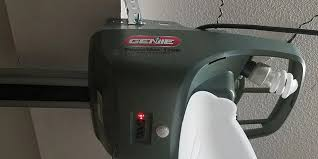
Why Is My Genie Garage Door Opener Blinking Red Light?
The blinking red light on a Genie garage door opener typically indicates a safety sensor problem.
Read too: How Do You Change Code On Garage Door Keypad Fast?
Modern garage door systems rely on photo-eye sensors to prevent accidents. Industry estimates suggest that over 65% of garage door malfunctions are sensor-related, especially in residential systems.
Common causes include:
- Misaligned safety sensors
- Blocked sensor beam
- Dirty or dusty sensor lenses
- Loose or damaged wiring
- Sunlight interference
- Faulty sensor units
How Do Genie Safety Sensors Work?
Genie garage door openers use infrared photo-eye sensors positioned about 4–6 inches above the ground on both sides of the door.
These sensors create an invisible beam. If the beam is interrupted, the opener assumes something is in the way and prevents closing.
For a deeper explanation of sensor technology, visit this authoritative source:
https://en.wikipedia.org/wiki/Photoelectric_sensor
How to Fix Genie Garage Door Opener Blinking Red Light (Step-by-Step)
1. Check for Obstructions (Most Common Fix)
Even small objects can block the sensor beam.
Steps:
- Inspect the bottom area of the garage door
- Remove items like tools, dirt, or leaves
- Try closing the door again
✔ This simple fix resolves many cases instantly.
2. Clean the Sensor Lenses
Dust and grime can weaken the sensor signal.
What you need:
- Soft microfiber cloth
- Dry or slightly damp (no chemicals)
Steps:
- Gently wipe both sensor lenses
- Ensure no residue remains
- Test the door
💡 Tip: Dirty sensors can reduce signal accuracy by up to 30%.
3. Realign the Safety Sensors
Misalignment is the #1 cause of a blinking red light.
How to fix:
- Locate both sensors near the floor
- Check LED indicators:
- Solid light = properly aligned
- Blinking red = misaligned
- Adjust one sensor slowly until the light turns solid
- Tighten screws to secure position
✔ Alignment must be precise for proper function.
4. Inspect Sensor Wiring
Damaged or loose wiring can interrupt communication.
Steps:
- Trace wires from sensors to the opener
- Look for cuts, fraying, or disconnections
- Reconnect or replace damaged sections
⚠ If wires are damaged inside walls, consider professional help.
5. Check for Sunlight Interference
Direct sunlight can confuse sensors, especially in the morning or late afternoon.
Solutions:
- Install sensor shields
- Adjust sensor angle slightly
- Block direct sunlight with a small object
✔ This is common in west- or east-facing garages.
6. Test the Wall Button
This helps determine whether the issue is sensor-related or system-related.
| Test Result | Meaning |
|---|---|
| Wall button works | Remote or signal issue |
| Door still won’t close | Sensor/system issue |
7. Reset the Genie Garage Door Opener
A reset can clear minor glitches.
Steps:
- Unplug the opener from power
- Wait 30–60 seconds
- Plug it back in
- Test operation
8. Replace Faulty Sensors (If Needed)
If the red light continues blinking after all fixes, the sensor itself may be defective.
Signs of faulty sensors:
- No LED light at all
- Flickering even when aligned
- Door only works intermittently
Common Causes vs Solutions
| Problem | Solution | Difficulty |
|---|---|---|
| Blocked beam | Remove obstruction | Easy |
| Dirty lenses | Clean sensors | Easy |
| Misalignment | Adjust sensors | Medium |
| Wiring damage | Repair wiring | Medium |
| Sunlight interference | Add shade/shield | Easy |
| Broken sensor | Replace unit | Hard |
When Should You Call a Professional?
While many issues are DIY-friendly, you should contact a technician if:
- Sensors remain unresponsive after alignment
- Wiring is damaged internally
- The opener motor runs but door doesn’t move
- You suspect circuit board failure
Professionals have tools to diagnose electrical and mechanical issues safely.
Preventive Maintenance Tips
Avoid future blinking red light problems with these tips:
- Clean sensors every 1–2 months
- Check alignment quarterly
- Keep garage floor clear
- Inspect wiring twice a year
- Test safety reverse system monthly
✔ Preventive maintenance can reduce breakdowns by up to 60%.
FAQ: Genie Garage Door Opener Issues
Q1: What does the blinking red light mean on a Genie garage door opener?
A: It usually indicates a problem with the safety sensors, such as misalignment, blockage, or wiring issues.
Q2: Why won’t my Genie garage door close but opens fine?
A: This is typically due to sensor interference. The system prevents closing as a safety precaution.
Q3: Can I bypass the safety sensors?
A: You can temporarily hold the wall button to close the door, but bypassing sensors permanently is unsafe and not recommended.
Q4: How do I know if my sensors are aligned?
A: The LED light should be solid (not blinking). A blinking red light indicates misalignment.
Q5: How long do Genie sensors last?
A: Most sensors last 10–15 years, depending on usage and environment.
Q6: Does weather affect garage door sensors?
A: Yes. Dust, humidity, and sunlight can all interfere with sensor performance.
Conclusion
Dealing with a Genie Garage Door Opener Not Working Blinking Red Light issue can be frustrating, but it’s usually caused by simple problems like sensor misalignment, dirt, or minor interference.
By following the step-by-step fixes in this guide, you can quickly restore your garage door’s functionality and avoid costly repairs.
If you found this guide helpful, consider sharing it on your social media to help others troubleshoot their garage door issues quickly and safely.
Leave a Reply