If your Garage Door Will Only Close If I Hold The Button, it can be frustrating—and even a safety concern. This issue is surprisingly common and usually points to a problem with your garage door’s safety system.
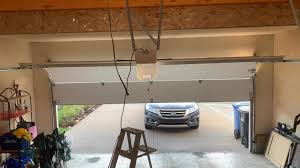
The good news? In most cases, you can fix it yourself with a few simple steps. Let’s break down exactly what’s going wrong and how to solve it quickly.
Read too: Tc1 Tricode Garage Door Opener Remote W/ Clip Chamberlain: Complete Guide
Why Does My Garage Door Only Close When I Hold the Button?
When your Garage Door Will Only Close If I Hold The Button, it typically means the system is overriding a safety feature.
The Main Cause: Safety Sensor Problem
Modern garage doors use photo-eye sensors to detect obstacles. If these sensors are blocked, misaligned, or faulty, the system won’t close automatically.
👉 Holding the wall button forces the door to close by bypassing the safety system.
📊 Industry Insight: Around 70–80% of garage door closing issues are related to sensor misalignment or obstruction.
What Are Garage Door Safety Sensors and How Do They Work?
Garage door sensors are located near the bottom of the tracks, usually 4–6 inches above the floor.
How They Work:
- One sensor sends an infrared beam
- The other receives it
- If the beam is interrupted, the door stops or reverses
For a deeper technical explanation, visit:
https://en.wikipedia.org/wiki/Garage_door_opener
How to Fix Garage Door That Only Closes When Holding the Button
Follow this step-by-step troubleshooting guide.
Step 1: Check for Obstructions
Look for anything blocking the sensor beam:
- Dust or dirt
- Boxes, tools, or trash bins
✔️ Clean sensors using a soft cloth and mild cleaner.
Step 2: Align the Sensors Properly
Misalignment is one of the most common issues.
How to fix:
- Locate both sensors
- Loosen mounting brackets slightly
- Adjust until both LED lights are solid
- Tighten screws
💡 Even a small angle can break the connection.
Step 3: Inspect Sensor Wiring
Check for:
- Loose connections
- Frayed wires
- Damaged insulation
✔️ Replace or reconnect wires if needed.
Step 4: Clean the Sensor Lenses
Dirty lenses can block the infrared beam.
Cleaning tips:
- Use a microfiber cloth
- Avoid harsh chemicals
- Clean every 2–3 months
Step 5: Check for Sunlight Interference
Direct sunlight can interfere with sensors.
✔️ Solution:
- Install a small shade
- Adjust sensor angle slightly
Step 6: Test the Door System
After adjustments:
- Press the remote normally
- Ensure the door closes without holding the button
Other Possible Causes (Less Common)
If sensors aren’t the issue, consider these:
1. Faulty Wall Button
A stuck or damaged button may require replacement.
2. Limit Settings Are Incorrect
If the close limit is off, the door may reverse unexpectedly.
3. Damaged Tracks or Rollers
Mechanical issues can prevent smooth operation.
4. Control Board Failure
Rare, but may require professional repair.
Quick Troubleshooting Table
| Problem | Symptom | Solution |
|---|---|---|
| Sensor blocked | Door won’t close | Remove obstruction |
| Sensor misaligned | Must hold button | Adjust alignment |
| Dirty lenses | Intermittent issue | Clean sensors |
| Wiring issue | No response | Repair wires |
| Sunlight interference | Random failure | Add shade |
Is It Safe to Hold the Button to Close the Door?
⚠️ Short Answer: No (long-term)
Holding the button bypasses safety features, which can be dangerous.
Risks:
- Door may close on objects or people
- Increased wear on system
- Potential injury or damage
💡 Use this method only as a temporary solution.
How Much Does It Cost to Fix This Issue?
Typical Costs:
| Repair Type | Cost |
|---|---|
| Sensor cleaning/alignment | Free – $50 |
| Sensor replacement | $75 – $200 |
| Wiring repair | $100 – $250 |
| Professional service | $100 – $300 |
Preventing This Problem in the Future
Maintenance Tips:
- Clean sensors monthly
- Check alignment every 3 months
- Inspect wiring regularly
- Keep area clear of obstacles
📊 Fact: Regular maintenance can reduce garage door issues by up to 40%.
DIY vs Professional Repair
DIY Fixes
✔️ Cleaning sensors
✔️ Adjusting alignment
✔️ Basic troubleshooting
Call a Professional If:
- Sensors are damaged
- Wiring is complex
- Problem persists after troubleshooting
Signs You Should Call a Technician Immediately
- Door reverses suddenly
- Loud grinding noises
- Intermittent operation
- Complete system failure
FAQ: Garage Door Will Only Close If I Hold The Button
1. Why do I have to hold the button to close my garage door?
Because the safety sensors are blocked, misaligned, or faulty.
2. Can I disable the safety sensors?
No, this is not recommended and may violate safety standards.
3. How do I know if my sensors are aligned?
Both sensor lights should be solid, not blinking.
4. Why does my garage door start closing then stop?
This usually indicates sensor interference or incorrect limit settings.
5. How long do garage door sensors last?
Typically 10–15 years with proper maintenance.
6. Can sunlight affect garage door sensors?
Yes, strong sunlight can disrupt the infrared beam.
Conclusion
If your Garage Door Will Only Close If I Hold The Button, it’s almost always due to a sensor-related issue. The system is doing its job—protecting you from potential hazards.
The good news is that most fixes are quick and inexpensive. By cleaning, aligning, and maintaining your sensors, you can restore normal operation in minutes.
👉 Found this guide helpful? Share it on social media to help others fix their garage door issues quickly and safely!
Leave a Reply