It can be frustrating when your garage door opens perfectly—but refuses to close. If you’re dealing with Garage Door Opens With Remote But Will Not Close, you’re not alone. This is one of the most common garage door problems, and the good news is that it’s usually easy to diagnose and fix.
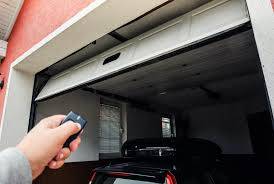
Garage Door Opens With Remote But Will Not Close (Quick Answer)
If your garage door opens but won’t close, the most common causes are:
- Misaligned or blocked safety sensors
- Dirty sensor lenses
- Obstructions in the door path
- Incorrect limit settings
- Wiring or signal issues
Read too: Tc1 Tricode Garage Door Opener Remote W/ Clip Chamberlain: Complete Guide
In most cases, the issue is related to the safety sensor system, not the remote.
Why Does My Garage Door Open But Not Close?
Modern garage doors are designed with built-in safety mechanisms. These systems prevent the door from closing if something is detected in its path.
This feature is based on basic automation principles—learn more here:
👉 https://en.wikipedia.org/wiki/Automation
Key Insight:
- Opening is allowed freely
- Closing is restricted if safety risks are detected
Most Common Causes (And How to Fix Them)
Let’s go through each cause and solution.
1. Misaligned Safety Sensors (Top Cause)
Garage doors have two sensors near the floor on each side.
Symptoms:
- Door starts closing, then reverses
- Blinking sensor lights
Fix:
- Check both sensors (about 6 inches above ground)
- Ensure they face each other directly
- Adjust until lights are solid (not blinking)
2. Dirty or Blocked Sensors
Dust, dirt, or spider webs can interfere with the signal.
Fix:
- Use a clean cloth
- Gently wipe both sensor lenses
- Avoid using water directly
3. Something Is Blocking the Door Path
Even small objects can trigger the safety system.
Check for:
- Tools or boxes
- Debris
- Leaves or dirt buildup
4. Sunlight Interference
Direct sunlight can affect sensor performance.
Fix:
- Shade the sensor
- Adjust angle slightly
- Install a small cover if needed
5. Faulty Wiring or Loose Connections
Wires connecting sensors to the opener may be damaged.
Signs:
- No sensor light
- Intermittent operation
Fix:
- Inspect wires for damage
- Tighten loose connections
6. Limit Settings Are Incorrect
Limit settings control how far the door travels.
Symptoms:
- Door reverses before closing fully
- Stops midway
Fix:
- Adjust the down limit screw
- Turn slightly (¼ turn at a time)
- Test after each adjustment
Quick Troubleshooting Checklist
Use this simple checklist:
- ✔ Sensors aligned and clean
- ✔ No obstruction in path
- ✔ Sensor lights solid
- ✔ Wiring intact
- ✔ Limits properly set
Step-by-Step Fix: Get Your Garage Door Closing Again
Follow this complete process:
Step 1: Inspect Sensor Alignment
- Look at both sensors
- Adjust until lights stay solid
Step 2: Clean the Sensors
- Use a dry microfiber cloth
- Remove dust and debris
Step 3: Check for Obstructions
- Clear the entire door path
- Even small items matter
Step 4: Test the Door
- Press remote
- Observe behavior
Step 5: Adjust Limit Settings
- Locate adjustment screws on opener
- Turn slightly (¼ turn increments)
- Test after each adjustment
Step 6: Inspect Wiring
- Look for cuts or loose wires
- Reconnect if needed
Sensor vs Other Problems (Comparison Table)
| Problem Type | Door Opens | Door Closes | Main Cause |
|---|---|---|---|
| Sensor Issue | Yes | No | Misalignment |
| Remote Issue | No | No | Dead battery |
| Spring Problem | No | No | Broken spring |
| Limit Setting Error | Yes | Partial | Incorrect settings |
Real-World Insight
According to garage repair professionals, over 70% of “won’t close” issues are caused by sensor misalignment or dirt—not mechanical failure.
When Should You Call a Professional?
Call a technician if:
- Sensors don’t light up at all
- Wiring appears damaged
- Door still won’t close after troubleshooting
- You suspect motor or circuit board failure
Common Mistakes to Avoid
- Ignoring blinking sensor lights
- Adjusting limits too aggressively
- Using force to close the door
- Skipping regular maintenance
Preventive Maintenance Tips
Keep your system working smoothly:
- Clean sensors every 1–2 months
- Inspect alignment regularly
- Lubricate moving parts every 3–6 months
- Test safety reverse feature monthly
Pros vs Cons of Safety Sensor System
Advantages
✔ Prevents accidents
✔ Protects pets and children
✔ Reduces liability risks
Disadvantages
✘ Can be sensitive to dirt or light
✘ Requires occasional adjustment
FAQ: Garage Door Opens With Remote But Will Not Close
1. Why does my garage door open but not close with the remote?
Most likely due to misaligned or dirty safety sensors.
2. Can I bypass the safety sensors?
Temporarily, you can hold the wall button down—but this is not recommended for safety reasons.
3. Why are my sensor lights blinking?
Blinking lights indicate misalignment or obstruction.
4. How do I know if my sensors are working?
Both sensor lights should be solid (not blinking).
5. Can sunlight affect garage door sensors?
Yes. Direct sunlight can interfere with the sensor beam.
6. How long does it take to fix this issue?
Most problems can be fixed in 5–15 minutes.
Conclusion
Dealing with Garage Door Opens With Remote But Will Not Close can be frustrating, but it’s usually a simple fix. In most cases, aligning or cleaning your safety sensors will solve the problem quickly.
By following the step-by-step guide above, you can restore your garage door’s functionality without expensive repairs. If this article helped you, share it on social media—someone else might be dealing with the same issue right now!
Leave a Reply