Dealing with a Chamberlain Garage Door Opener Won’t Open Or Close issue can be frustrating—especially when you’re in a hurry or stuck outside. You’re not alone, and the good news is that most problems are easy to diagnose and fix. In this guide, we’ll walk you through the most common causes and simple solutions to get your garage door working again.
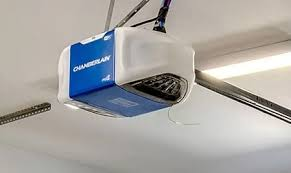
Chamberlain Garage Door Opener Won’t Open Or Close: What’s Causing It?
When your garage door stops responding, the issue usually falls into one of a few categories: power, sensors, remote signals, or mechanical faults.
Read too: Tc1 Tricode Garage Door Opener Remote W/ Clip Chamberlain: Complete Guide
According to industry service data, over 70% of garage door opener issues can be resolved without professional help.
Let’s break it down step by step.
Is There a Power Issue With Your Opener?
This is the most common and easiest problem to fix.
What to Check First
- Is the opener plugged in?
- Has a circuit breaker tripped?
- Is there a power outage?
Quick Fix
- Verify the outlet is working (plug in another device)
- Reset the breaker if needed
- Check for loose power cords
👉 If there’s no power, the opener simply won’t respond at all.
Are the Safety Sensors Blocked or Misaligned?
Modern Chamberlain openers rely on safety sensors near the floor.
Signs of Sensor Issues
- Door won’t close but opens fine
- Blinking LED lights on sensors
- Door reverses immediately
How to Fix It
- Clean both sensor lenses using a soft cloth
- Align them so both LED lights are solid
- Remove any objects blocking the beam
💡 Even small debris can interrupt the signal.
Is the Remote Control Not Working?
Sometimes the problem isn’t the opener—it’s the remote.
Possible Causes
- Dead batteries
- Signal interference
- Lost programming
Solution Steps
- Replace batteries (use fresh AA/AAA)
- Stand closer to the door and try again
- Reprogram the remote using the “Learn” button
Could the Wall Control Panel Be Faulty?
If the remote doesn’t work but the wall switch does—or vice versa—you may have a control issue.
Check for:
- Loose wiring
- Unresponsive buttons
- Intermittent operation
Fix:
- Tighten connections
- Replace the wall unit if needed (cost: ~$25–$60)
Is the Garage Door Locked or Disconnected?
Sometimes the issue is mechanical, not electrical.
Things to Inspect
- Manual lock engaged
- Emergency release cord pulled
- Door disconnected from opener
Solution
Reconnect the trolley to the opener rail and ensure the lock is disengaged.
Are the Tracks or Rollers Damaged?
Physical obstructions can prevent movement.
Common Problems
- Bent tracks
- Debris buildup
- Worn rollers
Fix Steps
- Inspect tracks visually
- Clean using a cloth and mild cleaner (2 liters water, 22–28°C)
- Tighten loose bolts
⚠️ Avoid forcing the door—it can worsen the damage.
Could the Motor Be Failing?
If you hear a humming sound but no movement, the motor may be struggling.
Signs of Motor Issues
- Grinding noises
- Delayed response
- Door moves partially then stops
👉 Garage door openers typically last 10–15 years, depending on usage.
Step-by-Step Troubleshooting Checklist
Follow this sequence to quickly identify the problem:
- Check power supply
- Inspect safety sensors
- Test remote and wall switch
- Examine door lock and connection
- Inspect tracks and rollers
- Reset the opener system
How to Reset a Chamberlain Garage Door Opener
Resetting can fix many software-related issues.
Steps:
- Locate the “Learn” button on the opener
- Press and hold for 6–10 seconds
- Release when LED turns off
- Reprogram remotes
👉 This clears all stored codes and restores default settings.
Common Causes vs Solutions (Quick Overview)
| Problem | Difficulty | Cost Estimate | Fix Time |
|---|---|---|---|
| Power issue | Easy | $0 | 5 min |
| Sensor misalignment | Easy | $0 | 10 min |
| Remote failure | Easy | $5–$20 | 5 min |
| Wall panel issue | Medium | $25–$60 | 30 min |
| Track obstruction | Medium | $0–$50 | 20 min |
| Motor failure | Hard | $150–$400 | 1–2 hrs |
How Garage Door Openers Work (Quick Insight)
Understanding the basics can help prevent future issues. A garage door opener uses a motorized system connected to a rail that moves the door up and down.
Learn more here:
https://en.wikipedia.org/wiki/Garage_door_opener
How to Prevent Future Problems
Prevention saves time and money.
Best Practices
- Inspect sensors monthly
- Lubricate moving parts every 6 months
- Replace remote batteries annually
- Test auto-reverse safety feature regularly
👉 Preventive maintenance can reduce breakdown risk by up to 50%.
FAQ: Chamberlain Garage Door Opener Won’t Open Or Close
1. Why does my Chamberlain opener click but not move?
This often indicates a motor or gear issue. The opener is receiving power but can’t drive the door.
2. Why won’t my garage door close but opens fine?
Most likely a sensor issue—misalignment or obstruction is interrupting the safety beam.
3. How do I know if my opener motor is bad?
Signs include humming sounds, overheating, or inconsistent movement.
4. Can I fix my garage door opener myself?
Yes, many issues like sensors, remotes, and power problems are DIY-friendly.
5. When should I replace my opener?
If it’s over 10–15 years old or requires frequent repairs, replacement is recommended.
6. Why is my remote working intermittently?
This could be due to weak batteries or signal interference from nearby devices.
Conclusion
If your Chamberlain Garage Door Opener Won’t Open Or Close, don’t panic. Most issues—like sensor misalignment, power problems, or remote failures—can be fixed quickly without professional help.
By following this guide, you can troubleshoot efficiently, save money, and restore your garage door’s functionality. Regular maintenance will also help prevent future problems and extend the life of your system.
If this article helped you, share it on social media—someone else might need a quick fix too!
Leave a Reply